
Every PDF tool you need, in one place
Merge, split, compress, convert, edit, sign, OCR and protect PDF files. Free, fast and private because your files never leave your device.
- 100% private
- No upload
- Free, no sign-up
- Fast
Merge 4 tools
Split 6 tools
Edit & Sign 5 tools
Compress 1 tool
Security 4 tools
Convert from PDF 5 tools
Convert to PDF 3 tools
Other 15 tools
Scans 2 tools
Automate 1 tool
AI & Text 1 tool
No tool matches your search.
How it works
3 simple steps. No software to install.
-
1
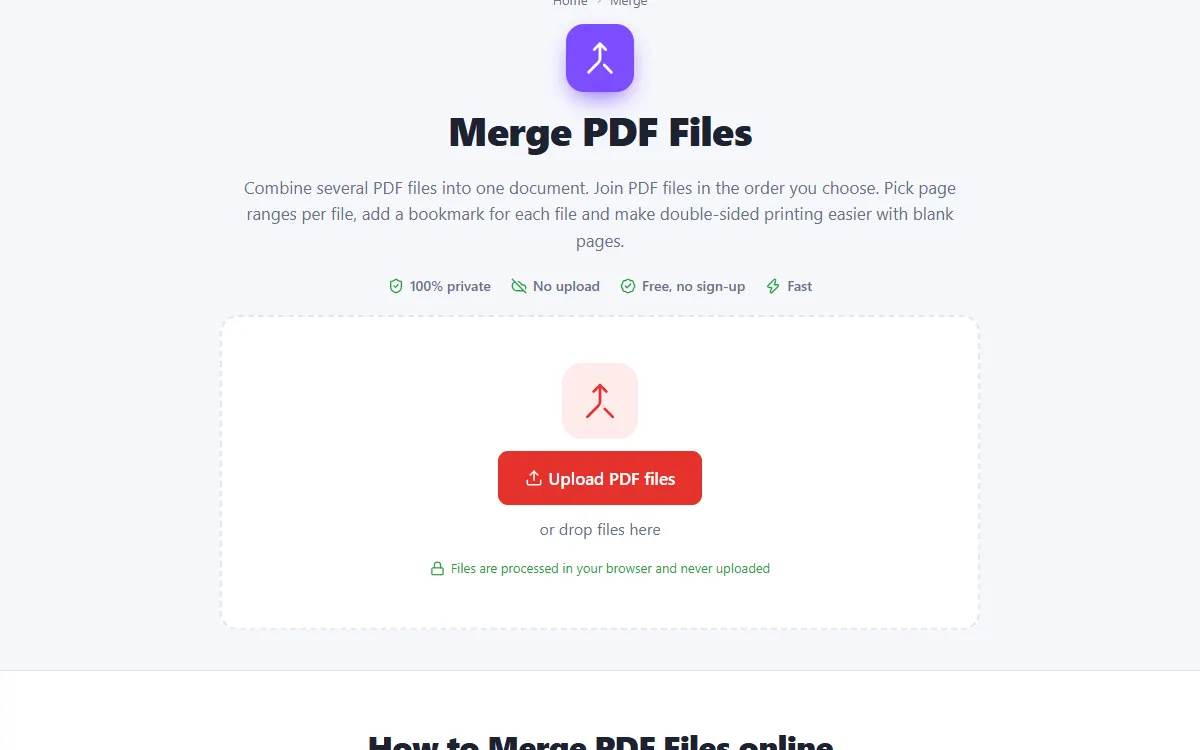
Choose a tool and add your files
Pick one of the 47 tools and drop your files on the page. They open right in your browser. Nothing is uploaded.
-
2
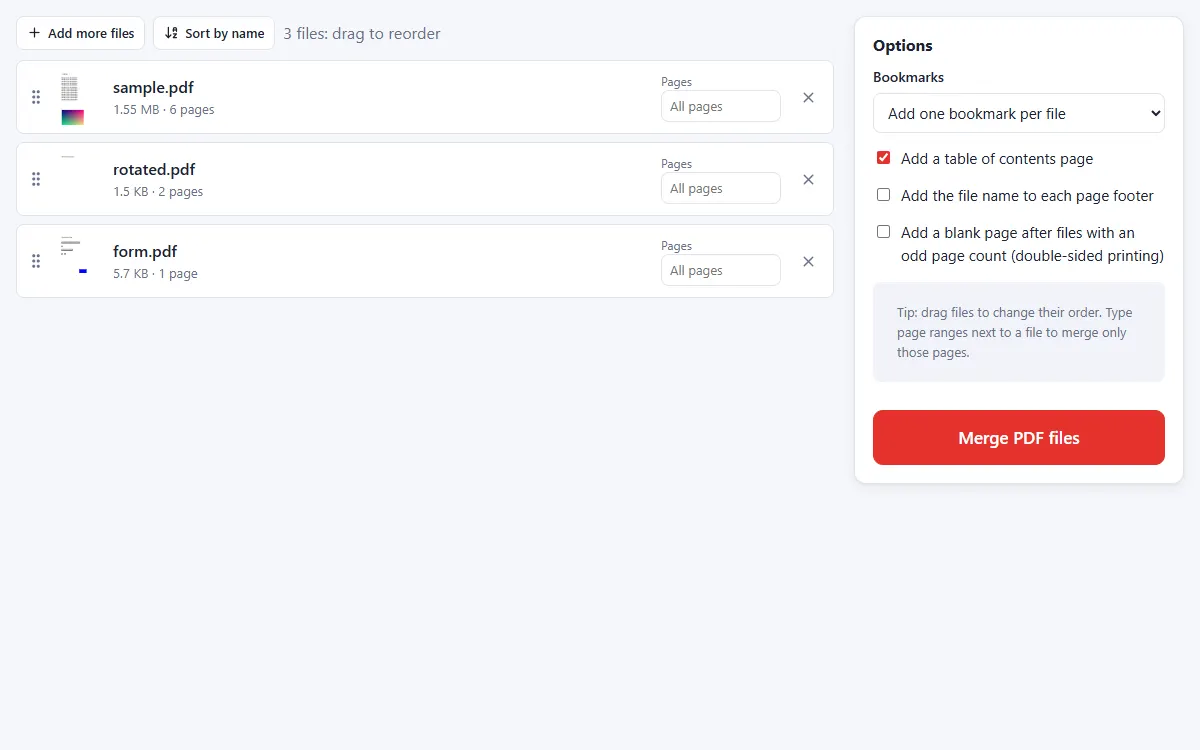
Adjust the options
Drag files into the order you want. Type page ranges next to a file to include only some pages, and add bookmarks or a table of contents if you like.
-
3
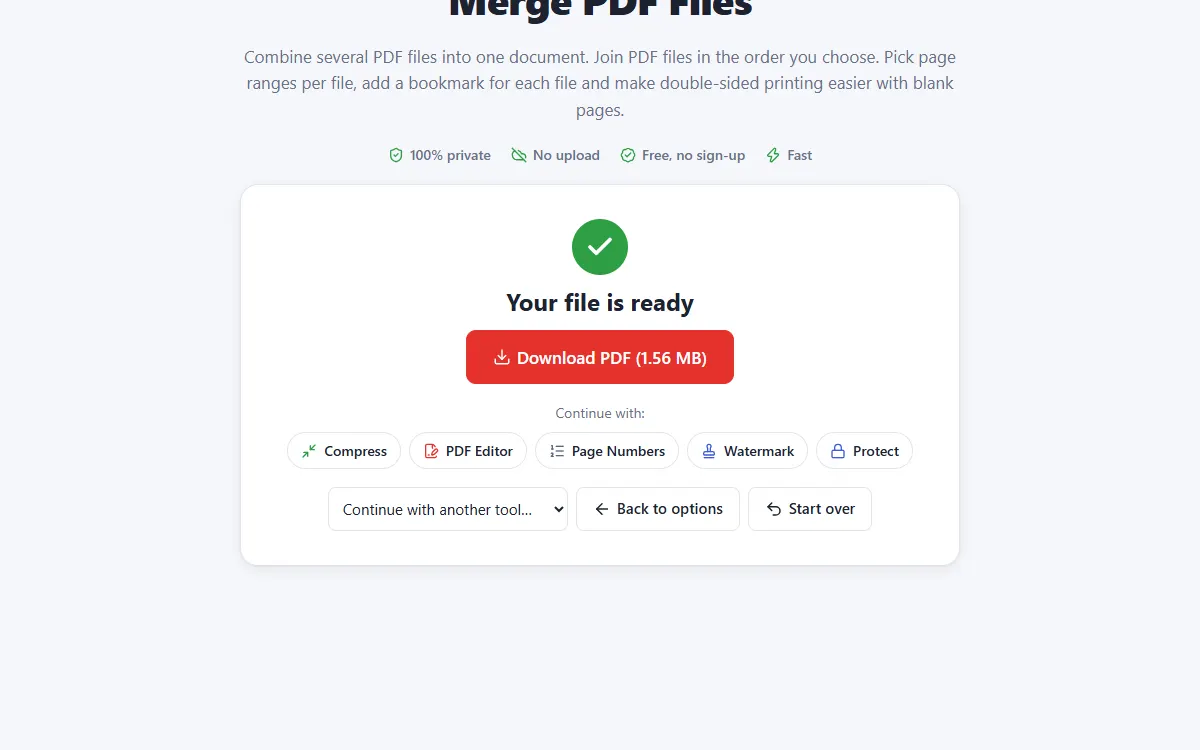
Download the result
Download your new file, or send it straight to another tool to keep working on it.
Why people choose PDFNest
Private and secure
Files are processed on your own device. They are never uploaded, stored or seen by anyone.
Free, no sign-up
No account, no email and no watermark on your documents.
Fast
No waiting for uploads and downloads: results are ready in seconds.
Works everywhere
Windows, Mac, Linux, Android and iPhone, in any modern browser.
Chain your tasks
Send a result to the next tool, or automate several steps with Workflows.
OCR in 38 languages
Make scans searchable in English, Hindi, Gujarati, Tamil, Arabic, Chinese and more.
Frequently asked questions
Is PDFNest really free?
Yes. All 47 tools are free to use without an account, and no watermark is added to your files.
Are my files uploaded?
No. Every tool runs inside your browser using modern web technology, so your documents stay on your device.
Do I need to install anything?
No. Everything works in your web browser on Windows, Mac, Linux, Android and iPhone.
Can I use several tools on the same file?
Yes. After each task, choose "Continue with another tool", or automate several steps with Workflows.